Blog
NotebookLM Prompting Tips Complete Guide: Ask Better Questions for More Precise Source-Grounded Answers
A complete guide to NotebookLM prompting tips and question design—from problem framing and comparative prompts to citation checks—helping you use this Google AI note-taking tool so your source-grounded AI research assistant returns verifiable, actionable answers.
NotebookLM Prompting Tips Complete Guide: Ask Better Questions for More Precise Source-Grounded Answers
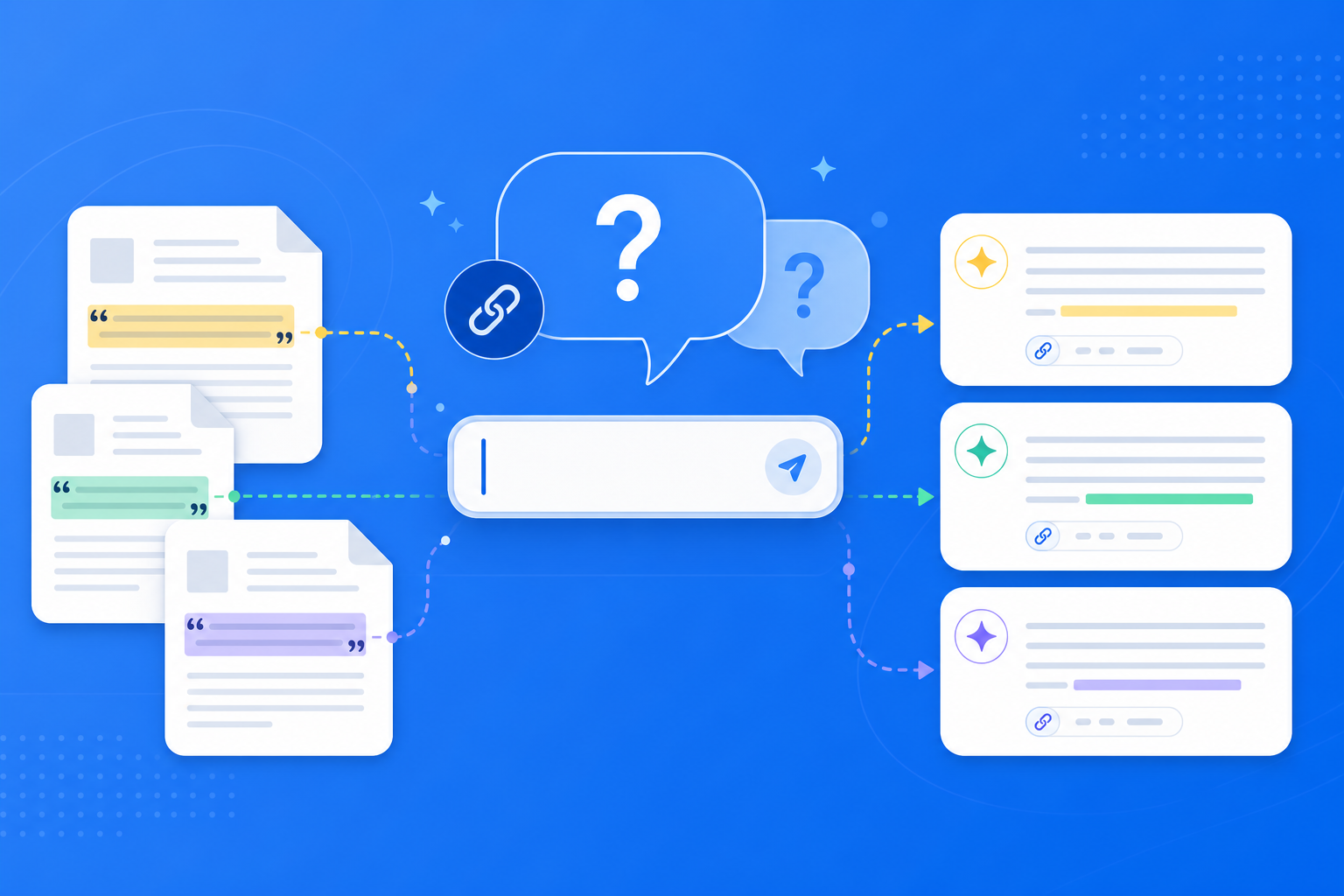
With the same stack of PDFs and web sources, some people use NotebookLM to quickly surface verifiable insights—while others get vague, jumpy, or off-topic replies. The gap is rarely the model; it is usually the way you ask. NotebookLM is a source-grounded AI research assistant: it answers only from the materials you upload. The more specific your prompts and the clearer your question boundaries, the more focused the answers from this Google AI note-taking tool—and the more usable the citations.
This article systematically covers NotebookLM prompting principles, prompt templates, use cases, and optimization tips—helping you turn the NotebookLM chat panel into a genuine high-efficiency research workbench.
Why Does How You Prompt NotebookLM Matter So Much?
Unlike general-purpose AI that “freely improvises from training knowledge,” every NotebookLM answer must be anchored to your sources. That means:
- Questions that are too broad: The AI can only produce shallow lists and struggles to go deep on a chapter or dataset
- Questions that are too vague: Citations scatter across many documents and become hard to verify
- Questions with clear constraints: You can specify source scope, output format, and comparison dimensions—and answer quality rises sharply
- Follow-ups with context: Multi-turn dialogue can dig deeper on existing citations and close the research loop
Mastering strong prompts is the “input-side” fundamental skill before you fully leverage source-grounded AI, Study Guide, Audio Overview, and briefing export.
How Do You Ask High-Quality Questions in NotebookLM?
Step 1: Define Your Goal and Source Scope First
- Sign in to the NotebookLM app
- Open a topic-focused notebook (for source organization, see the multi-source management guide)
- Before you ask, clarify: do you want to compare, summarize, extract data, or generate an action checklist? When needed, state in the prompt “use only PDFs 2 and 4”
Tip: NotebookLM has no duty to “fill in gaps from nowhere.” If the sources lack an answer, a strong prompt should allow it to say clearly “not mentioned in the sources”—which is more valuable than a hallucination.
Step 2: Ask with Structured Prompts
Use the four-part pattern “role / task / constraints / output format,” for example:
- Task: Compare how three papers differ in experimental setup
- Constraints: Use only PDFs in this notebook; attach a citation to every claim
- Output: Table with columns “Dimension | Paper A | Paper B | Paper C”
- Follow-up slot: End with points that remain uncertain and need checking against the originals
This kind of prompt makes NotebookLM’s source-grounded Q&A easier to verify—and better suited to later export as a briefing document.
Step 3: Multi-Turn Follow-Ups and Citation Checks
- For key claims in the first answer, click citations and confirm against the originals
- Use precise follow-ups such as “explain point 2 using the source’s exact wording” or “which page supports this conclusion?”
- Only after verification, generate a Study Guide or Audio Overview—so errors do not enter your review materials
This workflow upgrades NotebookLM from “one-shot chat” into an iterative AI research assistant process.
Who Benefits Most from Strong NotebookLM Prompts?
Students and Exam Review
Replace “summarize this for me” with “based on the lecture notes, list likely exam points for this chapter and output them as an FAQ.” Combined with Study Guide and Audio Overview, you get a review loop of “clarify by asking → structure → listen.” See the getting started tutorial.
Researchers and Literature Reviews
Use comparative and methods-focused prompts (“how do the two papers define the dependent variable? where do they conflict?”) to locate disagreements quickly, then verify each claim via source-grounded citations. For the underlying idea, see source-grounded AI explained.
Knowledge Workers and Business Analysis
Use action-oriented prompts such as “extract three risks from the report with original-text evidence, and produce a checklist of executable follow-up questions”—so NotebookLM answers plug straight into meeting notes or exported reports.
7 Prompting Tips to Improve NotebookLM Answer Quality
- Ask one main question at a time: Compound questions scatter citations; splitting into turns is clearer.
- Specify the output format: Tables, bullets, timelines, and pros/cons are more usable than “just tell me.”
- Name sources or sections: Reduce the AI jumping across unrelated materials.
- Require “say so if not mentioned”: Suppresses over-inference and matches source-grounded AI design.
- Follow up instead of restarting the topic: Deepen on the existing answer for more stable context.
- Test before bulk-generating Studio content: Confirm understanding, then generate guides, audio, or briefings.
- Lean on Gemini 3.5 upgrade strengths: Long documents and complex comparisons benefit most (see Gemini 3.5 upgrade explained).
Strong Prompts vs Casual Chat vs General AI: When to Use NotebookLM?
| Scenario | Recommended approach | Why |
|---|---|---|
| Verifiable answers from your own PDFs/web pages | Structured NotebookLM prompts | Source-grounded AI attaches citations you can check one by one |
| Brainstorming or copywriting with no materials | General AI (e.g. ChatGPT) | Not bound to sources; better for divergent thinking |
| Pre-exam self-testing and structured review | NotebookLM Q&A + Study Guide | Questions clear doubts; the guide locks in the framework |
| Absorbing the big picture on a commute | Ask first to lock priorities, then listen to Audio Overview | Prompts set direction; audio boosts efficiency |
NotebookLM’s strength is not “chat about anything”—it is pinning questions to your materials and returning traceable evidence.
Synergy with Other NotebookLM Features
Strong prompting is the hub of the whole workflow:
- Multi-source management: Clear sources make prompts evidence-based
- Source-grounded AI Q&A: Prompt quality directly decides how usable citations are
- Study Guide / Audio Overview / briefing export: Points clarified in chat become review and reporting materials
- Gemini 3.5: Stronger understanding amplifies the payoff of good questions—it does not rescue vague ones
FAQ
Q: Do NotebookLM prompts need to be very long?
A: Not necessarily long—but they should include task, constraints, and output format. Three to five clear sentences usually beat one long, fuzzy paragraph.
Q: If the AI says “not found in the sources,” did my prompt fail?
A: Not necessarily. That means source-grounded AI refused to invent—you can add sources, or narrow the question and ask again.
Q: Can I ask NotebookLM to answer in English about a non-English PDF?
A: Usually yes. State in the prompt “please answer in English; keep key terms in the source language with citations,” which makes bilingual checking easier.
Conclusion
NotebookLM prompting tips and well-designed prompts are the lever that raises output quality from this Google AI note-taking tool: the more specific the question and the clearer the constraints, the more precise and verifiable your source-grounded AI research assistant becomes. Whether you are a student, researcher, or knowledge worker, it is worth upgrading from “just ask casually” to “structured follow-up.”
Open the NotebookLM app now and try one round of comparative prompting with the four-part pattern in an existing notebook; for the full walkthrough, see our getting started tutorial.
Next: put this article to work
Upload a PDF you are reading, ask source-grounded questions, and check citations.
This is an unofficial NotebookLM guide, not affiliated with Google. You will open the app and can sign in free with a Google account.
Related articles

NotebookLM Consulting Knowledge Base Complete Guide: Turn RFPs, Industry Reports, and Interview Notes into a Verifiable Project Desk with Source-Grounded AI
A complete guide to consulting knowledge bases with NotebookLM—from RFPs, industry reports, and interview notes to comparison tables, gap lists, and briefing exports—helping you turn long materials into citation-verifiable project notes with Google NotebookLM, the AI note-taking tool.
Read more →
NotebookLM Language Learning Complete Guide: Turn Textbooks, Subtitles, and Vocabulary Lists into a Verifiable Listen-Speak-Read-Write Desk with Source-Grounded AI
A complete guide to language learning with NotebookLM—from textbook PDFs, subtitle scripts, and word lists to example comparisons, confusion lists, and Audio Overviews—helping you turn language materials into citation-verifiable study notes with Google NotebookLM, the AI note-taking tool.
Read more →