Blog
NotebookLM Book Notes & Deep Reading Complete Guide: Turn Print and E-books into a Verifiable Q&A Knowledge Base with Source-Grounded AI
A complete guide to book notes and whole-book deep reading with NotebookLM—from aggregating e-book PDFs, scans, and reviews to chapter outlines, quote excerpts, and briefing exports—helping you turn long books into a citation-verifiable knowledge base with Google NotebookLM, the AI note-taking tool.
NotebookLM Book Notes & Deep Reading Complete Guide: Turn Print and E-books into a Verifiable Q&A Knowledge Base with Source-Grounded AI
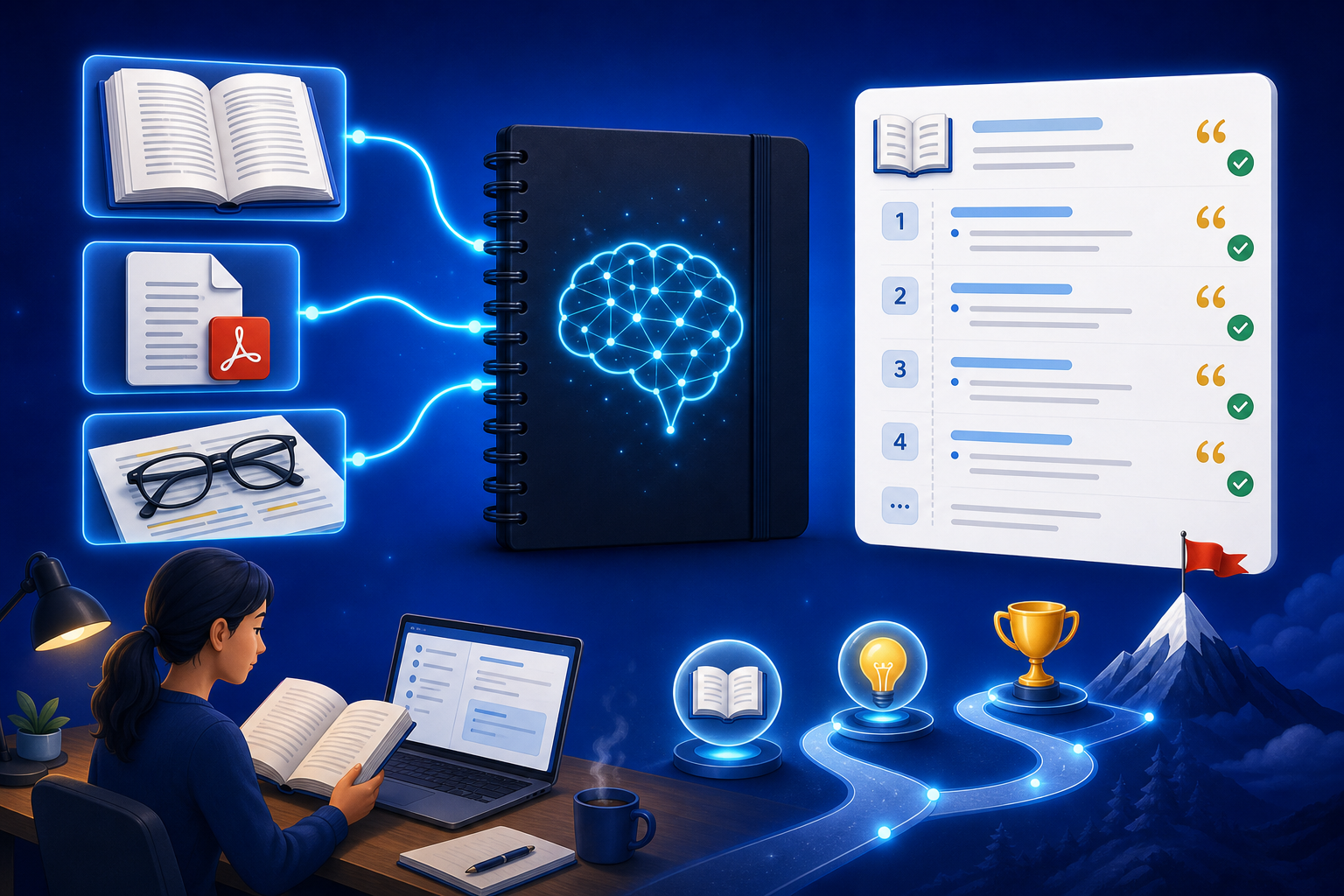
The most common gap after finishing a book is this: you felt you “got it all,” then a week later you only remember the cover and two or three quotes. Margin notes live in the paperback, highlights are locked in an e-reader, and Douban-style reviews, author interviews, and book-club minutes sit in another tab—when you try to write book notes or retell the core argument to a colleague, you can only stitch a summary from memory. Put the same book’s e-book PDF, scanned chapters, author interviews, and related talks into NotebookLM, and Google NotebookLM, as a source-grounded AI note-taking tool, can do Q&A from your uploaded sources—chapter structure, argument chains, and quote origins all come with clickable citations, turning deep reading from “highlighting by feel” into “book notes with an evidence chain.”
This article systematically covers how to build a single-book deep-reading notebook in NotebookLM, generate verifiable book notes and review materials, who it fits, and anti-hallucination tips—helping lifelong learners, students, and creators embed an AI research assistant into a real reading workflow.
Why Is Whole-Book Deep Reading Better with NotebookLM Than Generic AI Alone?
Generic models can write fluent “after-reading-essay voice,” yet often mix up chapters, invent examples that never appear in the book, or even import claims from another title on the same topic; NotebookLM’s advantages are:
- Excerpts can return to sources: Every argument, data point, and quote has a clickable citation back to an e-book PDF paragraph or scan page
- Materials can share one library: Full text, reviews, author-interview YouTube, and book-club notes for the same book are managed together
- Structures are reusable: Study Guides, mind maps, and briefings can iterate on the same book instead of writing a new reaction from scratch each time
- Boundaries can be declared: Require “if sources do not mention it, say so,” reducing circulating reviews written as the author’s original text
Especially important for long nonfiction, textbook companion reading, professional manuals, and deep reading you must retell to others. Fiction can still help you map character relations and plot timelines, but stay extra alert to spoilers and to “reasonable inferences” written as original text.
How Do You Complete Evidence-Based Whole-Book Deep Reading with NotebookLM?
Step 1: Build a deep-reading notebook by book
- Sign in to the NotebookLM app
- Create a notebook by book title (e.g., “Principles deep read · 2026”), include only sources directly related to that book, and do not dump this year’s entire reading list into one notebook
- Upload the e-book PDF or legally scanned chapters, the table of contents, author interviews, or book-club recordings (see multi-source management, YouTube learning, meeting capture)
Tip: One notebook maps to one book or a clear “one book, one theme” slice (for example, only the third part of a textbook); dumping ten unrelated bestsellers dilutes the precision of “what this book actually says.” Make sure you have the legal right to use those texts.
Step 2: Use questions and Studio to generate a verifiable book-notes skeleton
- “Based on the sources, output a table-of-contents-level outline: Chapter | Core claim | Key example | Matching source location”
- “Generate a quotes-and-concepts table: Original excerpt | Page or chapter | My one-sentence paraphrase | Whether it is the author’s own words”
- “List three items each for the author’s explicit claims, the author’s illustrative examples, and points often stretched by reviews but not proven in the materials, and label them separately”
Prompt patterns are in the quality prompting guide; when chapter relationships are unclear, first use a mind map or Study Guide to clarify modules.
Step 3: Spaced review, export a briefing, and share with a book club
- Before writing book notes or retelling outward, verify key numbers, names, and conclusions—always open citations in NotebookLM to confirm (see source-grounded AI explained)
- When syncing with a book club or team, generate a briefing and export; for co-reading the same book, share the notebook
- On a commute or during review, use an Audio Overview to hear the whole-book landscape first, then return to contested chapters and reread the original text
Before publishing a review, course handout, or a client-facing citation: value judgments, star ratings, and “whether it is worth buying” remain your responsibility; NotebookLM nails down “what the book actually wrote.”
Who Benefits Most from NotebookLM for Book Notes and Whole-Book Deep Reading?
Knowledge workers and lifelong learners
Turn industry classics, management manuals, and long reports into Q&A-ready deep-reading packs; before a meeting, locate chapters with questions instead of flipping the table of contents at the last minute; when reading must become external copy, connect to the content writing guide.
Students and exam candidates
Put assigned textbooks, required reading, and workbooks into the same book notebook; generate concept-contrast tables and mix-up lists; for a test-oriented review rhythm, also see the exam prep guide. Reading a pile of academic papers is not the same as “one book”—use the literature review guide instead.
Reviewers, podcast hosts, and course instructors
First lock the book’s claims and examples with source-grounded Q&A, then write the commentary and spoken script by hand, so second-hand reviews are not written as “this book argues”; if you need to compare framework differences across several books on the same topic, organization methods can follow the competitive analysis guide.
7 Tips to Improve NotebookLM Book Notes and Deep-Reading Results
- One book, one notebook: Separate notebooks by book so questions do not spill into another title’s conclusions.
- Original text before reviews: Anchor the citable full book or chapter original first, then upload reviews and interviews, and require prompts to distinguish “the book” from “second-hand commentary.”
- Force-label uncovered items: Require listing practice details and data that “the whole book never states,” avoiding common-sense filler written as if the author said it.
- Put edition and translation in the notebook name: The same work often has revisions and different translations; put year, translator, and an ISBN suffix in the title.
- Split copyright and privacy: Do not put unauthorized full text or book-club recordings that contain other people’s private information into a publicly shareable notebook.
- You set the notes framework: Let AI fill chapters and excerpts; do not let AI invent structures the original book never had, such as “ten lessons from this book.”
- Use Gemini 3.5 well: Very long e-books and cross-chapter synthesis are more stable (see Gemini 3.5 upgrade explained).
NotebookLM Deep Reading vs Generic AI vs Pure Handwritten Annotation: How to Choose?
| Scenario | Recommended approach | Why |
|---|---|---|
| Must be based on the original book text with auditable excerpts | NotebookLM source-grounded deep-reading flow | Citations are traceable; fits reviews, teaching, and team co-reading |
| No original book; you only want divergent associations or an opening for a reaction essay | Generic AI | Not bound by sources; fits brainstorming |
| Personal feelings and life associations that arise while reading | Handwriting or local annotation | Emotion and experience need not be forced back to sources |
| A book club co-reading the same book | NotebookLM sharing + briefing | Materials stay unified; fewer conflicting “word-of-mouth editions” |
NotebookLM does not “automatically finish the book and make you like it for you”; it lets book notes stand on verifiable original text. It is Google’s AI research assistant, used to cut long-book forgetting and misquotation—not to replace reading itself.
Synergy with Other NotebookLM Features
The whole-book deep-reading flow chains capabilities:
- Multi-source / YouTube / meeting notes: Input e-books, author interviews, and book clubs
- Quality prompting / mind maps / Study Guide: Dig into chapter structure and concept tables
- Audio Overview: Build the whole-book landscape on a commute, then go back to check contested passages
- Briefing export / sharing & collaboration: Book-club review and team co-reading
- Content writing / close-reading patterns: Switch narrative for external reviews or deep reading lists
- Gemini 3.5: Improve long-PDF and multi-chapter synthesis quality
FAQ
Q: Can I upload a full e-book PDF to NotebookLM for book notes?
A: Yes, provided you have the right to use that file. After upload, split notebooks by book, and require prompts to mark “content that does not appear in the original text”; still spot-check citations on the generated outline.
Q: Will NotebookLM write views from review sites as “the author’s own words”?
A: It can, if reviews and the original book sit in the same notebook and the prompt is vague. Separate source types, and require a table that distinguishes “original-book excerpt” from “second-hand commentary.”
Q: When deep-reading a novel, are plot inferences and character-motive analyses reliable?
A: Plot timelines and dialogue excerpts can be checked back to sources; motives, themes, and “what the author meant” are interpretation and must be judged by a human—and avoid spoiling co-readers who have not finished the book.
Conclusion
NotebookLM book notes and whole-book deep reading turn Google NotebookLM, the AI note-taking tool, into the reader’s “single-book knowledge hub”: original text can be deposited, notes have evidence, retellings can be rechecked. Whether lifelong learning, textbook close reading, or review prep, it is worth using a source-grounded AI research assistant to pull reading from highlighting by memory back to evidence-driven practice.
Open the NotebookLM app now and build a notebook for the next book you will read closely; for basics, see our getting started tutorial.
Next: put this article to work
Put textbooks or notes in a notebook, generate a Study Guide, then verify against the original.
This is an unofficial NotebookLM guide, not affiliated with Google. You will open the app and can sign in free with a Google account.
Related articles
NotebookLM Consulting Knowledge Base Complete Guide: Turn RFPs, Industry Reports, and Interview Notes into a Verifiable Project Desk with Source-Grounded AI
A complete guide to consulting knowledge bases with NotebookLM—from RFPs, industry reports, and interview notes to comparison tables, gap lists, and briefing exports—helping you turn long materials into citation-verifiable project notes with Google NotebookLM, the AI note-taking tool.
Read more →
NotebookLM Language Learning Complete Guide: Turn Textbooks, Subtitles, and Vocabulary Lists into a Verifiable Listen-Speak-Read-Write Desk with Source-Grounded AI
A complete guide to language learning with NotebookLM—from textbook PDFs, subtitle scripts, and word lists to example comparisons, confusion lists, and Audio Overviews—helping you turn language materials into citation-verifiable study notes with Google NotebookLM, the AI note-taking tool.
Read more →