Blog
NotebookLM vs ChatGPT Complete Guide: How to Choose Between a Source-Grounded AI Note-Taking Tool and a Generic Chat Model
A clear comparison of NotebookLM vs ChatGPT: source-grounded citations, multi-source notebooks, and when to use Google NotebookLM versus generic AI—so you research, learn, and take notes with a verifiable AI research assistant instead of chatting your way to unverifiable summaries.
NotebookLM vs ChatGPT Complete Guide: How to Choose Between a Source-Grounded AI Note-Taking Tool and a Generic Chat Model
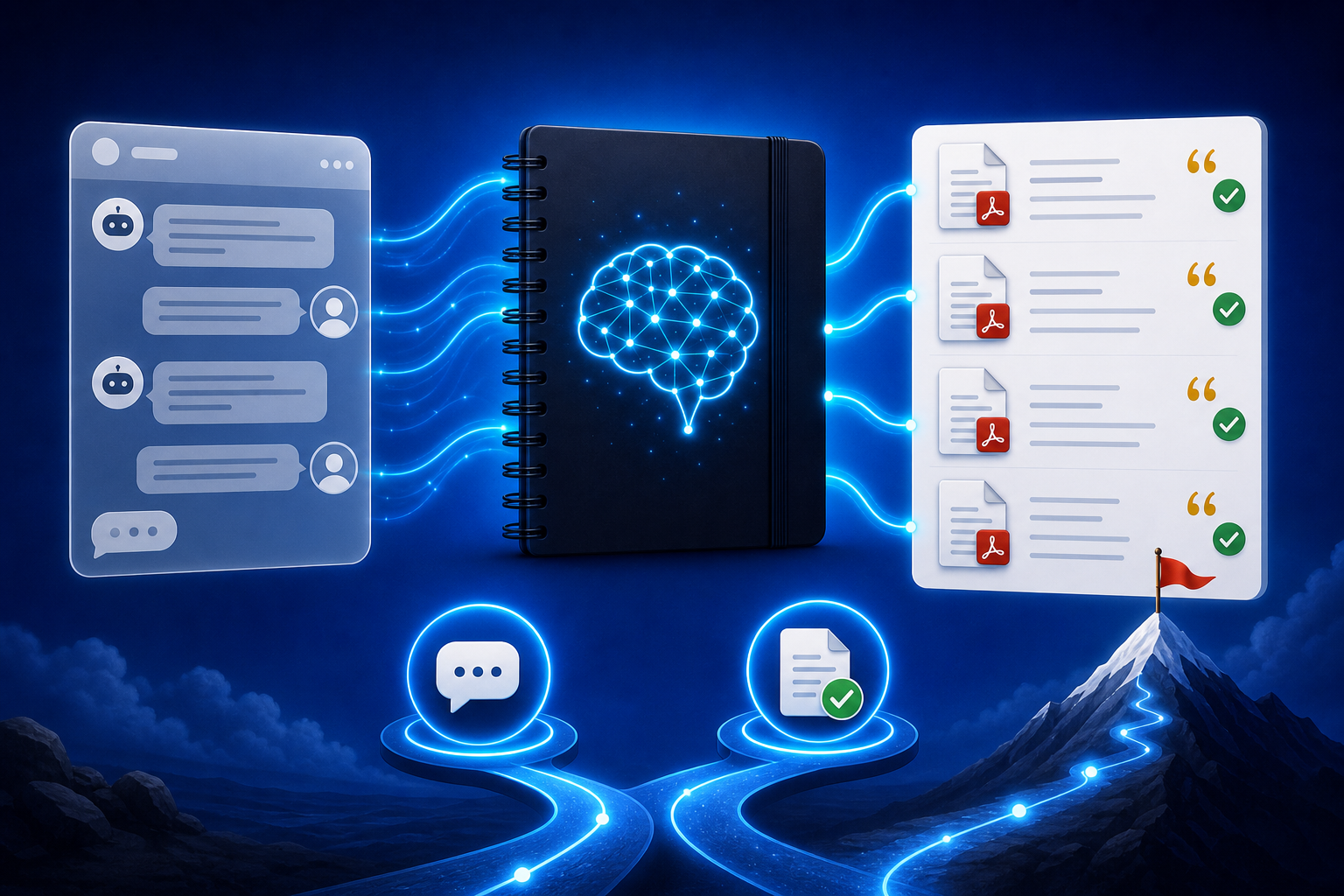
Many people who first search for NotebookLM immediately search “NotebookLM vs ChatGPT” or “what is the difference between NotebookLM and ChatGPT.” Both can answer questions and write summaries, but they work in completely different ways: generic chat models like ChatGPT mainly rely on training knowledge and the current conversation; Google NotebookLM is a source-grounded AI note-taking tool that, by default, answers only from the PDFs, web pages, YouTube videos, and documents you upload into a notebook, and it provides clickable citations. Dropping research reports, textbooks, or meeting notes into a chat window, versus building a NotebookLM notebook from the same materials, produces two results with completely different levels of trust.
This article systematically compares NotebookLM and ChatGPT (and similar generic AI) on citations, scenarios, and workflow, and gives a practical “source-ground first, then diverge” method—helping researchers, students, and knowledge workers put an AI research assistant where verifiability actually matters.
Why “NotebookLM vs ChatGPT” Cannot Be Reduced to Who Chats Better?
Generic models can write fluent, confident answers, yet often “plausibly invent” authors, page numbers, clause IDs, or earnings figures; NotebookLM’s contrast advantages are:
- Answers can return to sources: Key conclusions have clickable citations back to a PDF paragraph, web page, or transcript you uploaded (see source-grounded AI explained)
- Materials can share one library: PDFs, Google Docs, web URLs, and YouTube for the same topic are managed together (see multi-source management)
- Structures are reusable: Study Guides, mind maps, Audio Overviews, and briefings iterate on the same notebook instead of pasting from scratch in a new chat every time
- Boundaries can be declared: Require “if sources do not mention it, say so,” reducing internet common knowledge written as “your files argue that”
ChatGPT is better for brainstorming, polishing, and open-ended questions with no fixed materials; NotebookLM is better when you “must speak from this set of files.” They do not replace each other; they are two consecutive stages of a research pipeline.
How Do You Complete an Evidence-Based Study in NotebookLM That You Would Otherwise Dump into ChatGPT?
Step 1: Turn “chat attachments” into a topic notebook
- Sign in to the NotebookLM app
- Create a notebook by research question (e.g., “2026 Q2 industry-policy comparison”), include only sources directly related to that question, and do not dump a year’s noise into one notebook
- Upload PDFs, web pages, YouTube, or meeting transcripts (see YouTube learning, meeting capture)
Tip: A ChatGPT thread is fine for “ask one thing and see”; once you have more than two or three files and must recheck numbers, move to NotebookLM. Make sure you have the right to use those texts.
Step 2: Lock facts with source-grounded questions, then use generic AI for wording (if needed)
- “Based only on the sources, list: Claim | Original excerpt | Source location | Gaps the sources do not cover”
- “Generate a comparison table: What file A says | What file B says | Whether they conflict”
- “Summarize citable conclusions in three sentences; label inferences separately and do not write them as original text”
Prompt patterns are in the quality prompting guide; when the structure is unclear, first use a mind map or Study Guide. When you need external prose, hand the already-checked NotebookLM outline to ChatGPT for tone—do not reverse that order.
Step 3: Export, share, and spot-check citations before going public
- Before citing numbers, names, and clauses externally, always open citations in NotebookLM to confirm
- When syncing with a team, generate a briefing and export; for co-researching the same materials, share the notebook
- When materials are long, use an Audio Overview to build the landscape, then return to contested passages and reread the original text
Wording, stance, and compliance for formal reports, papers, or client materials remain your responsibility; NotebookLM nails down “what the files actually wrote,” and ChatGPT handles the expression layer after facts are locked.
Who Most Needs to Separate NotebookLM from ChatGPT?
Analysts, consultants, and knowledge workers
When policy, research reports, or contract summaries must be traceable, use NotebookLM for the evidence layer first, then generic AI for slide narration; organizing competitor materials can also follow the competitive analysis guide. When reading must become external copy, connect to the content writing guide.
Students, teachers, and exam candidates
Use NotebookLM on assigned textbooks and papers to prevent “AI-invented exam points”; essay openings and speaking practice can still use ChatGPT. For test-oriented review see the exam prep guide; for a pile of papers use the literature review guide; for whole-book close reading see the book notes guide.
Product, instructional, and content teams
When the same knowledge base must be queried by many people, with consistent versions, NotebookLM sharing is more stable than repeatedly pasting the same PDF into ChatGPT; for handoff materials also see the onboarding guide.
7 Tips to Make NotebookLM vs ChatGPT Truly Complementary
- First ask “do I have source files?”: Fixed PDFs/pages/videos → prefer NotebookLM; no materials, only ideas → ChatGPT.
- One matter, one notebook: Split notebooks by project so last week’s conclusions do not bleed into this week’s files the way a long ChatGPT thread does.
- Force-label uncovered items: In NotebookLM, require listing points “sources never state,” then decide whether generic AI should fill common knowledge—and mark that it is not original text.
- Do not upload ChatGPT answers as sources: Unless you have human-checked them, you will write hallucinations into “citable notes.”
- Split copyright and privacy: Unauthorized full text and client secrets do not belong in a publicly shareable notebook, nor in generic chat.
- Put the expression layer last: Lock excerpts and comparison tables first, then let ChatGPT rewrite titles or tone.
- Use Gemini 3.5 well: Long documents and multi-source synthesis on the NotebookLM side are more stable (see Gemini 3.5 upgrade explained).
NotebookLM vs ChatGPT vs Search Alone: How to Choose?
| Scenario | Recommended approach | Why |
|---|---|---|
| Must be based on specified files with auditable excerpts | NotebookLM source-grounded Q&A | Citations are traceable; fits reports, textbooks, contracts, and co-research |
| Brainstorming, role-play, or code drafts with no materials | ChatGPT or similar generic AI | Not bound by sources; fits divergent thinking |
| You only need to find one public page or news item | Search engine | No need to build a notebook first |
| The same materials must be queried repeatedly, exported as a briefing, and shared with a team | NotebookLM sharing + briefing | Less context loss than opening new chats again and again |
NotebookLM is not “a quieter ChatGPT”; it is Google’s AI research assistant: it lets conclusions stand on verifiable materials. ChatGPT is not “unable to do research”; it simply does not, by default, guarantee that an answer equals your PDF.
Synergy with Other NotebookLM Features
The right use after the comparison is chaining capabilities, not picking only one:
- Multi-source / YouTube / meeting notes: Turn attachments you kept pasting into ChatGPT into a notebook
- Quality prompting / mind maps / Study Guide: Dig structure inside the source-grounded boundary
- Audio Overview: Hear the materials landscape on a commute, then go back and open citations
- Briefing export / sharing & collaboration: Hand checked facts to the team
- Content writing / literature and book-note patterns: Lock original text before writing externally
- Gemini 3.5: Improve multi-document synthesis quality on the NotebookLM side
FAQ
Q: Can I use NotebookLM and ChatGPT together?
A: Yes, and that is the recommended workflow: NotebookLM owns “what the files wrote,” ChatGPT owns “how to say this sentence better.” Do not reverse it by letting ChatGPT invent a draft first and then pasting that draft into the notebook as fact.
Q: Is NotebookLM just ChatGPT wrapped around Gemini?
A: The underlying model capability is related to Gemini, but the product form is notebook + source-grounded citations + Studio outputs (Study Guide, Audio Overview, briefing, and so on)—not a generic chatbot. Choose the tool by whether the task must return to sources, not by the model name alone.
Q: I have no PDF, only a vague idea—which should I use?
A: First use ChatGPT or search to split the question and list the types of materials you may need; after you find files, build a NotebookLM notebook. An empty notebook cannot replace an open-ended chat.
Conclusion
The key to NotebookLM vs ChatGPT is not who is smarter, but who is accountable for “this set of sources.” Google NotebookLM, the AI note-taking tool, makes research, learning, and notes recheckable, shareable, and exportable; generic chat models remain strong at diverging and polishing when there are no materials. Put the source-grounded AI research assistant on the evidence layer and the chat model on the expression layer, and both ranking-quality answers and trust will be more stable.
Open the NotebookLM app now and build a notebook for the next question that must be verifiable; for basics, see our getting started tutorial.
Next: put this article to work
Upload a PDF you are reading, ask source-grounded questions, and check citations.
This is an unofficial NotebookLM guide, not affiliated with Google. You will open the app and can sign in free with a Google account.
Related articles

NotebookLM Consulting Knowledge Base Complete Guide: Turn RFPs, Industry Reports, and Interview Notes into a Verifiable Project Desk with Source-Grounded AI
A complete guide to consulting knowledge bases with NotebookLM—from RFPs, industry reports, and interview notes to comparison tables, gap lists, and briefing exports—helping you turn long materials into citation-verifiable project notes with Google NotebookLM, the AI note-taking tool.
Read more →
NotebookLM Language Learning Complete Guide: Turn Textbooks, Subtitles, and Vocabulary Lists into a Verifiable Listen-Speak-Read-Write Desk with Source-Grounded AI
A complete guide to language learning with NotebookLM—from textbook PDFs, subtitle scripts, and word lists to example comparisons, confusion lists, and Audio Overviews—helping you turn language materials into citation-verifiable study notes with Google NotebookLM, the AI note-taking tool.
Read more →